Why create a Google Business Profile Profile for your company?
Steps to create your GBP Google Business Profile Profile
1 - Log in to Google using your Gmail account, or create one if you don't have one.

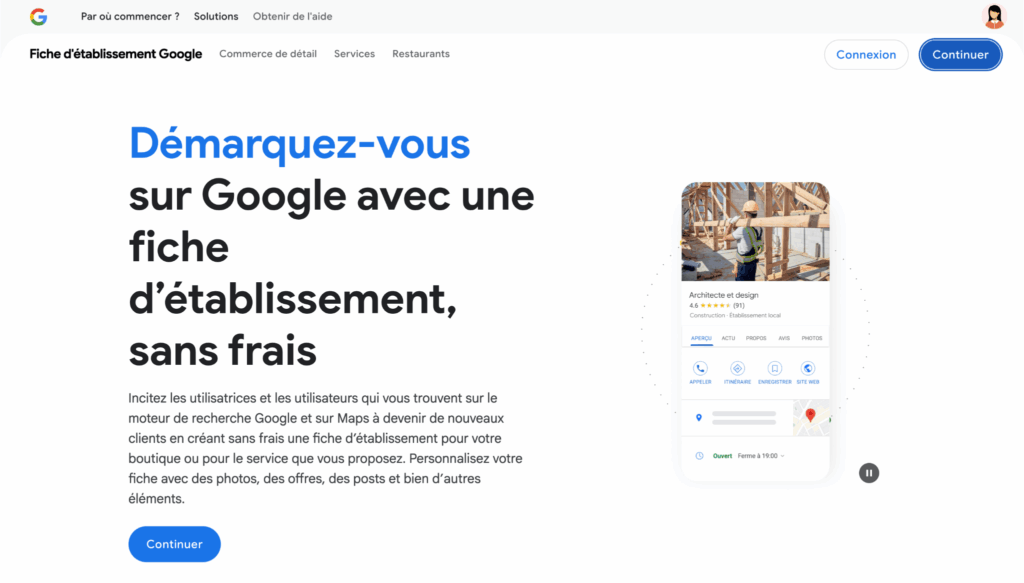
3 - Click on "Manage now" to start creating your file.
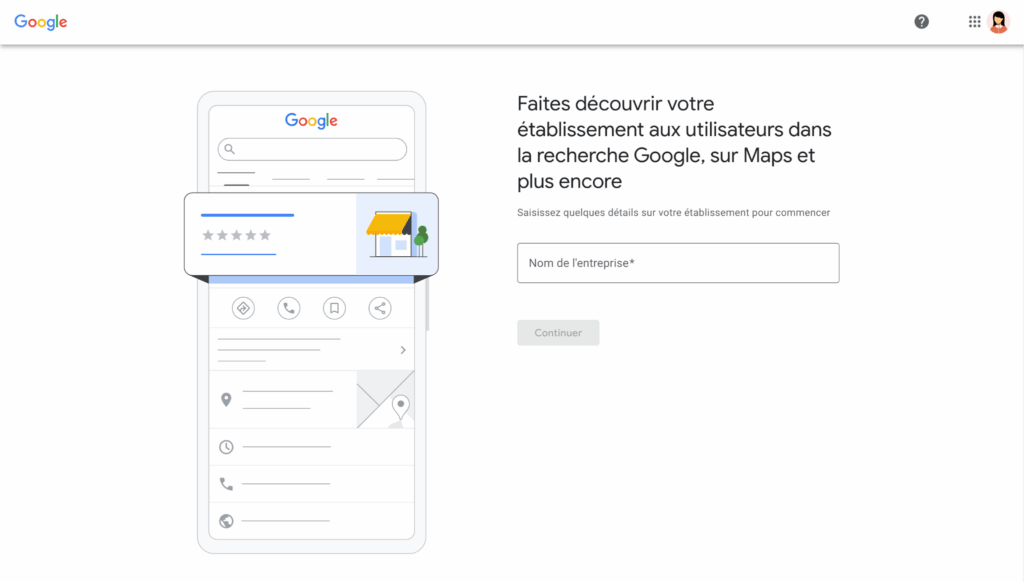
4 - Enter your company's official name, without adding keywords. You risk being penalized and delaying validation.

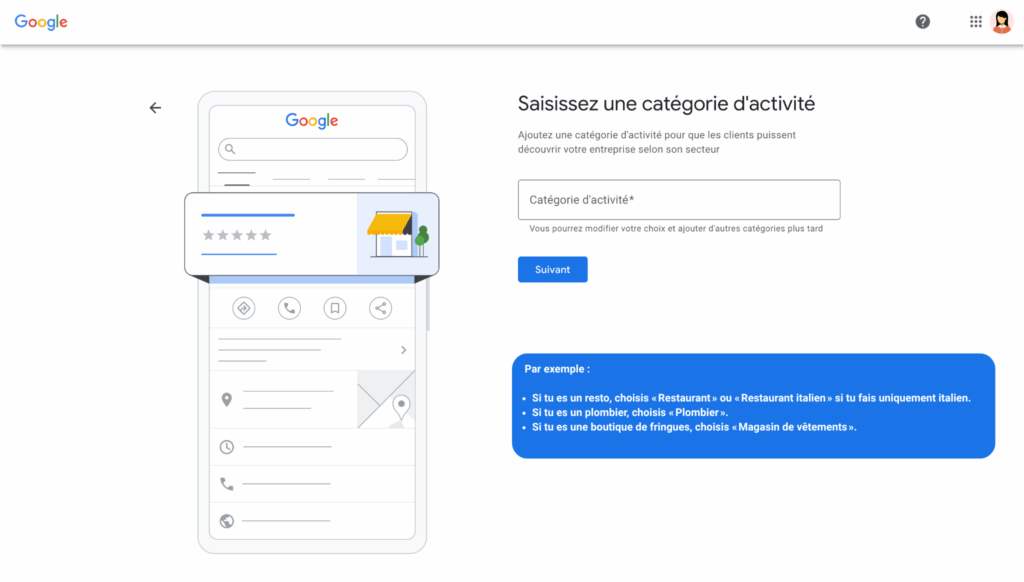
5 - Choose the category that best describes your business, a very important step. But why?
Because the category you choose helps Google to understand what business you're in and what local searches it should show you on.

Remember to read the examples above
Here are a few tips to help you choose the right activity:
a) Take the time to type keywords into Google and see which category your competitors choose to come out on top.
b) Choose only one main category at first, the one that corresponds to your core business. You can add secondary categories later to cover other services
For example: a restaurant could add "Catering" as a secondary category.
c) Don't overdo it: stay relevant and precise.
d) Please note that some categories trigger specific options in your form, such as table reservations, menus, etc... So choose the one that's best suited to what you're really offering.
In short, the more precise and relevant you are in your main category, the more Google will know where to place you... and the more visible you'll be to the right customers.
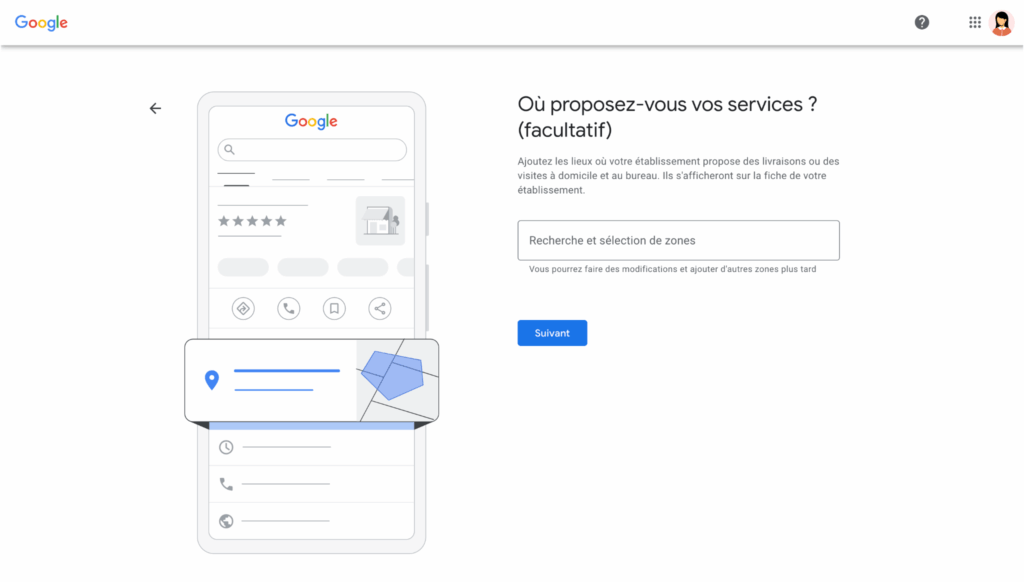
6 - If you have a location where customers can visit, indicate the exact address. If you do home service, for example, you can indicate your service area without displaying the address.

7 - Enter your contact details (phone number, website, etc.)
This will make it easier for customers to contact you.
8 - Google will ask you to prove that you are the owner. In general, they send a code by post to the address indicated. Sometimes, other options such as validation by phone or email may be proposed.
9 - Once validated, complete your file. Add timetables, photos, a description, and start replying to reviews.
Bonus tips:
a) Be precise and consistent with your information. The same name, the same address, the same phone number everywhere on the web.
b) Avoid typographical errors, which are important for local SEO.
c) Check your file regularly to keep it up to date.
Double bonus, mistakes to avoid when creating :
d) Put the official name as it is on your storefront, administrative documents or website.
e) No added keywords, e.g. "Plombier express Paris", just "Plombier Dupont".
f) Give an exact address, otherwise Google won't be able to locate you correctly. If you only work in a zone, indicate your service area, but don't hide this from customers.
g) Keep a single account for each facility, to avoid creating multiple files that could penalize you.
h) Don't put unreachable or wrong phone numbers.
The number must be active and direct for your company.
i) Don't use categories that are too broad or irrelevant. Choose the category that best describes you, even if you do several activities, give priority to the main one.